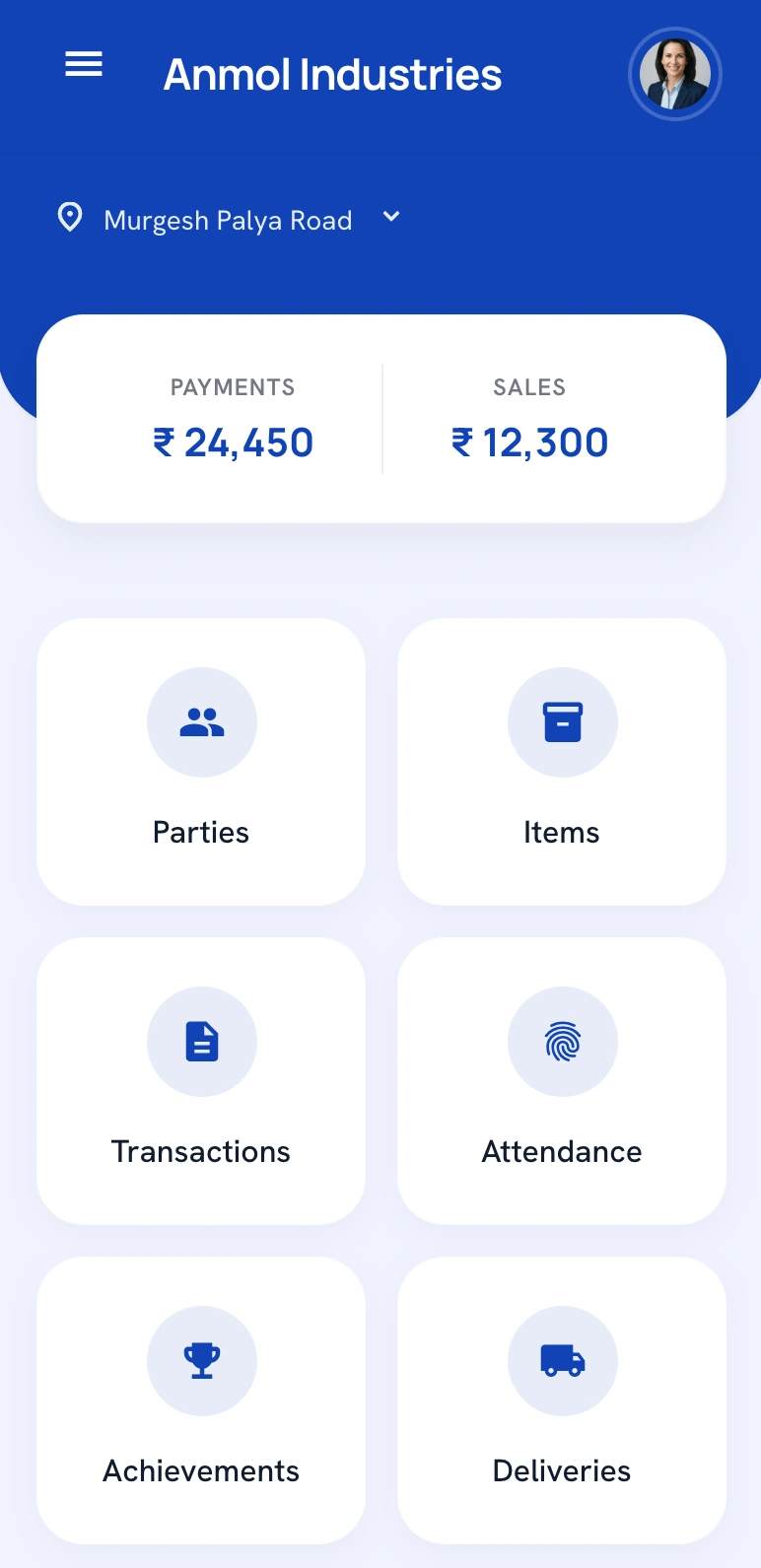
πŸ“± SalesOn Mobile App Android & iOS

SalesOn Mobile App for Field Sales, Orders, Billing and Collections

Give your field sales team a structured mobile workflow for order taking, visit tracking, payment collection, van sales and GST billing β€” while owners and managers stay in control through SalesOn.

πŸ”’ For company-assigned users. Salesmen log in using credentials created by their SalesOn admin β€” not a public self-signup.

β‚Ή0 Setup Fee
No Minimum Users
7-Day Free Trial
β‚Ή208/User/Month, Billed Annually
Quick Answer: What is the SalesOn mobile app?
SalesOn is a mobile app for field sales teams to take orders, track visits, collect payments, handle GST billing and manage van sales. Owners and managers monitor all activity from the SalesOn web dashboard.
Quick Answer: How do salesmen log in?
Salesmen log in using a username and password created by their company admin in SalesOn. They do not create their own public account. The business owner must register on SalesOn first.
Quick Answer: Should the owner register first?
Yes. The business owner or decision-maker registers and sets up the company account on SalesOn before their sales team can use the mobile app. Request a free demo to get started.
Who It's For

One platform for every role in your sales business

SalesOn is not just a salesman app. It connects business owners, managers, field staff and accounts teams into one structured workflow.

🏒
Business Owners & Distributors
Get full visibility into orders, collections, stock and field activity across your entire sales team β€” from any device, through the SalesOn dashboard.
Live Reports Collection Tracking Tally Sync
πŸ“Š
Sales Managers
Monitor beat plan adherence, route coverage, productive calls, target vs. actual performance and salesman visit history without making a single phone call.
Beat Plans Target Meter Visit History
πŸ§‘β€πŸ’Ό
Field Salesmen
Take orders on the go, check in at customer visits, generate GST invoices, collect payments and submit EOD reports β€” all from the SalesOn mobile app.
Order Taking GST Billing Payment Collection
🧾
Accounts & Billing Teams
Align field invoices, outstanding collections and payment receipts with your Tally workflow β€” reduced manual follow-up and cleaner reconciliation support.
Tally Integration Outstanding Dues GST Reports
How It Works

How the SalesOn mobile app flow works

The app works within a structured business account. Here is the full flow β€” from owner registration to field team execution.

1
🌐
Owner discovers & registers on SalesOn
The business owner or decision-maker visits saleson.co.in, requests a demo, and registers for a free trial. This is the starting point β€” the app works only for businesses on SalesOn.
2
πŸ”‘
Admin receives company account access
After registration, the company admin gets login access to the SalesOn web platform at app.saleson.co.in to configure the business β€” products, customers, routes, pricing and billing.
3
πŸ‘₯
Admin creates salesman and field staff users
The admin creates individual user accounts for each salesman or field staff member. Usernames, passwords and role permissions are all configured by the admin β€” not the salesman.
4
πŸ“²
Salesmen download the app
Field salesmen download the SalesOn app from Google Play (Android) or the App Store (iOS). The app is available on both platforms for users assigned under an active SalesOn company account.
5
πŸ”
Salesmen log in with assigned credentials
Salesmen open the app and enter the username and password given by their company admin. There is no separate public sign-up. Access is entirely company-controlled.
6
πŸ“ˆ
Field activity flows into SalesOn
Orders, visits, payments, GST invoices, van sales, delivery updates and EOD reports all flow into SalesOn through the SalesOn dashboard β€” visible to managers and owners on the web dashboard.

Important: Salesmen do not need to create a separate public account from the app. Access is created by the company admin after the business starts using SalesOn. There is no self-registration from the mobile app.

New to SalesOn? Set up your business account before asking your sales team to download the app.

πŸ“… Request a Free Demo First
Mobile App Features

Everything your field sales operation needs

From order taking to Tally-connected operations β€” all managed from the SalesOn mobile app and web platform together.

πŸ“‹
Mobile Order Taking
Salesmen browse the company product catalogue, apply pricing and schemes, and submit orders directly from the field. Orders sync instantly to the SalesOn dashboard.
Explore the order taking app β†’
🧾
GST Billing Workflow
Generate GST invoices with CGST, SGST, IGST, HSN codes and e-invoice support. Print via Bluetooth thermal printer or share on WhatsApp β€” all within the field workflow.
Explore GST billing software β†’
πŸ’°
Payment Collection Tracking
Record cash, cheque and UPI collections in the field. Outstanding dues, follow-up reminders and reconciliation flow into the SalesOn accounts view automatically.
Explore payment collection app β†’
πŸ“
Salesman Visit Tracking
GPS check-ins, beat plan adherence, customer coverage and productive call tracking β€” so managers know exactly where the team has been and what was achieved.
Explore salesman tracking software β†’
🏭
DMS Visibility
Manage secondary sales, distributor stock, scheme execution and channel partner data from one distribution management system connected to your field app.
Explore DMS software for distributors β†’
🚐
Van Sales Workflow
Load van inventory, manage counter sales, track stock depletion, collect payments and submit EOD van reports β€” a complete van sales workflow built into the app.
Explore the van sales app β†’
πŸ“¦
Delivery Coordination
Salesmen and delivery staff coordinate dispatch, delivery confirmation and customer acknowledgement β€” reducing missed deliveries and disputes.
Explore delivery management β†’
πŸ“Š
Stock and Product Visibility
Salesmen check live stock availability before taking orders. Owners track inventory levels and stock movement without manual updates or separate reports.
Learn about stock management β†’
πŸ”—
Tally-Connected Operations
Field orders, GST invoices and payment receipts post automatically to Tally ledgers. No manual re-entry, no Excel export. Your accounts team stays aligned with the field.
Explore Tally integration for field sales β†’
🎯
Sales Target Tracking
Set team and individual targets. Salesmen see their progress in the app. Managers track performance vs. target through the SalesOn dashboard β€” no spreadsheet needed.
Explore target tracking software β†’
🏭
Production Management
For manufacturers using SalesOn, connect production planning with field orders and distribution β€” so supply and demand stay in sync across your operation.
Explore production management β†’
πŸ“±
Field Sales App for India
Designed specifically for Indian MSMEs, distributors and manufacturers β€” with Indian GST compliance, Tally integration, Hindi-ready UI and local support built in.
Explore field sales app for distributors β†’
For Decision-Makers

Why business owners should discover SalesOn before the sales team downloads the app

The mobile app works best when the business process is configured first. A salesman downloading the app to an unstructured account gets very little value. An owner who sets up SalesOn correctly gets a fully connected field operation from day one.

❌ Without a proper setup
  • ⚠️Salesmen use random apps, data stays fragmented across WhatsApp groups and Excel sheets
  • ⚠️Owner has no visibility into orders, collections or visit activity
  • ⚠️Billing happens manually, GST errors are common and Tally reconciliation is a monthly nightmare
  • ⚠️Payment collections are tracked informally β€” disputes and leakages go undetected
  • ⚠️No way to track route coverage, productive calls or beat adherence
βœ… With SalesOn properly configured
  • βœ”οΈAdmin creates structured users β€” salesmen follow a consistent field workflow from day one
  • βœ”οΈOwner sees live reports on orders, collections, stock and team activity through the SalesOn dashboard
  • βœ”οΈGST invoices are generated in the field and automatically sync to Tally β€” zero re-entry
  • βœ”οΈPayment collections are tracked by salesman, customer and route β€” outstanding dues are always visible
  • βœ”οΈBeat plans, visit history, productive calls and targets are tracked automatically
What the admin configures before the team uses the app
🏒
Company Account
πŸ‘₯
Salesman Users
πŸ—ΊοΈ
Routes & Beats
πŸͺ
Customer Database
πŸ“¦
Products & SKUs
πŸ’²
Pricing & Schemes
🧾
Billing Workflow
πŸ“Š
Manager Reports
Download the App

Download the SalesOn mobile app

Already using SalesOn? Download the app and log in with the credentials given by your company admin.

Not on SalesOn yet? The app requires a company account created by a SalesOn admin. If your company is not using SalesOn, request a free demo first so we can help set up your business workflow before your team downloads the app.
Location & Data Transparency

Location and field activity data are used for business workflow visibility

SalesOn may use location and field activity data for company-assigned users to help businesses monitor visits, route activity, attendance, customer coverage and field execution. This is a standard feature of field sales management software.

πŸ“
Used for business field operations. Location data helps businesses track salesman visits, beat plan adherence and customer coverage β€” not for any other purpose.
πŸ”‘
Company-assigned access only. Only users whose accounts are created by a company admin are tracked. There is no anonymous tracking in SalesOn.
πŸ“Š
Managers can review field activity. Visit history, route coverage and attendance data are visible to the company admin and authorised managers on the SalesOn dashboard.
πŸ“‹
Governed by company policy and SalesOn terms. Businesses using SalesOn are responsible for communicating field data policies to their employees in line with applicable laws and SalesOn's privacy terms.
Frequently Asked Questions

Common questions about the SalesOn mobile app

The SalesOn mobile app is used by field sales teams to take orders, track customer visits, collect payments, manage GST billing workflows, handle van sales, coordinate deliveries, and submit end-of-day reports. Business owners and managers use the SalesOn web platform to monitor all field activity, view reports, manage stock and connect with Tally.
The SalesOn mobile app is designed for field salesmen, delivery staff and van sales teams who are part of a company that has subscribed to SalesOn. Business owners, distributors, wholesalers, manufacturers and MSME owners use the SalesOn web dashboard at app.saleson.co.in to manage and monitor operations.
No. Salesmen cannot create their own independent SalesOn accounts from the app. Access is company-assigned. The business owner or admin registers on SalesOn, sets up the company account, and then creates user accounts for each salesman or field staff member.
A salesman logs in to the SalesOn mobile app using a username and password created by their company admin in the SalesOn web platform. The salesman downloads the app from Google Play or the App Store, opens it, and enters the credentials given by their company.
Yes. The business owner or decision-maker must register on SalesOn and set up the company account before the sales team can use the mobile app. The app works only for company-assigned users. Owners can request a free demo at saleson.co.in.
Yes. The SalesOn mobile app includes a full order taking module. Salesmen can browse the product catalogue, apply pricing and schemes, create orders for customers, and submit them directly from the field. Orders are visible to managers and admins through the SalesOn dashboard.
Yes. SalesOn supports GST billing workflows including CGST, SGST, IGST and HSN-based invoice creation. Additional billing, printing, e-invoice, e-way bill or Tally-connected workflows may depend on the configured plan and setup. Learn more about the SalesOn GST billing workflow.
Yes. The SalesOn app allows salesmen to record and track payment collections in the field β€” cash, cheque, UPI and other modes. Payment data flows into the SalesOn platform so that business owners and accounts teams can track outstanding dues and reconcile collections.
Yes. SalesOn tracks salesman visits, GPS check-ins, beat plans, customer coverage and field activity for company-assigned users. Managers can review visit history, productive calls, route adherence and strike rates from the SalesOn web dashboard. Learn more about salesman tracking software.
The SalesOn app is available on Google Play Store for Android and on Apple App Store for iOS. Note: The app is for company-assigned users. Business owners should register on SalesOn first before asking their sales team to download the app.

Ready to connect your sales team, billing and collections?

Start with a free SalesOn demo. We will help you understand the right workflow before your team starts using the mobile app.

β‚Ή0 setup fee Β· 7-day free trial Β· Live in 1–2 days