For distributors & field sales teams
Order Taking App for Distributor Sales Teams
Give your salesmen a mobile order booking app with SKU search, customer-wise pricing and trade schemes. Review and confirm each order, then send it to your office.
₹0 SalesOn account setupMinimum 2 usersMonthly billing availableSupport included
Trial and subscription terms · Refund policyNo credit card · Android & iOS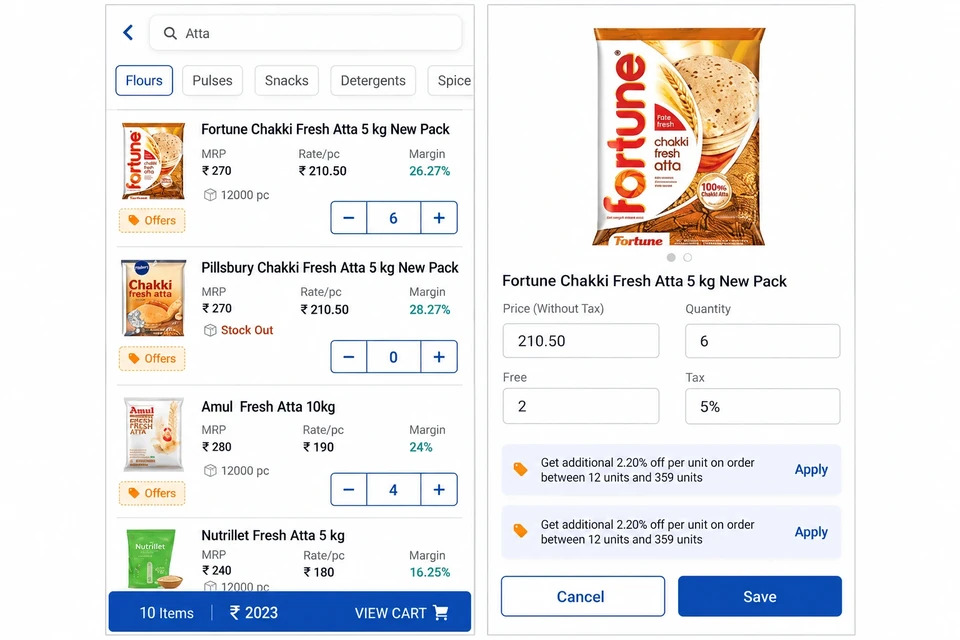
Order taking teams using SalesOn






Review the order before confirming.
Retailer history, outstanding balance, and unapplied schemes load automatically. The rep arrives with full context.
📋 Customer contextType a product name, brand, or SKU code — find the item in your catalogue.
🔍 Name, brand or codeReview applicable schemes and customer pricing. Check the credit position before confirmation.
✅ Prices, schemes & creditReview and confirm the order, share the summary and check the office handover.
✅ Office handoverFind SKUs, customer prices and sales schemes
Search your distributor catalog by product name, brand or SKU code. Review the stock shown, customer-wise prices and applicable schemes while building the order.
- Live stock visibility: Check the stock shown for each SKU before selecting quantities.
- Trade schemes: Review the applicable offers and configured scheme calculations at item level.
- Customer-wise pricing: Per-retailer price lists load automatically before booking.
Capture the order. Share the confirmation.
Confirm the order and share its summary with the retailer on WhatsApp. Send the captured order to the back office so the team can begin its next step.
- WhatsApp confirmation: Digital order summary on the retailer's phone before the rep moves on.
- Scheme transparency: Every applied discount visible in the confirmation for review.
- Order approval workflows: Orders above threshold routed for manager approval before confirmation.
Know the customer before the visit.
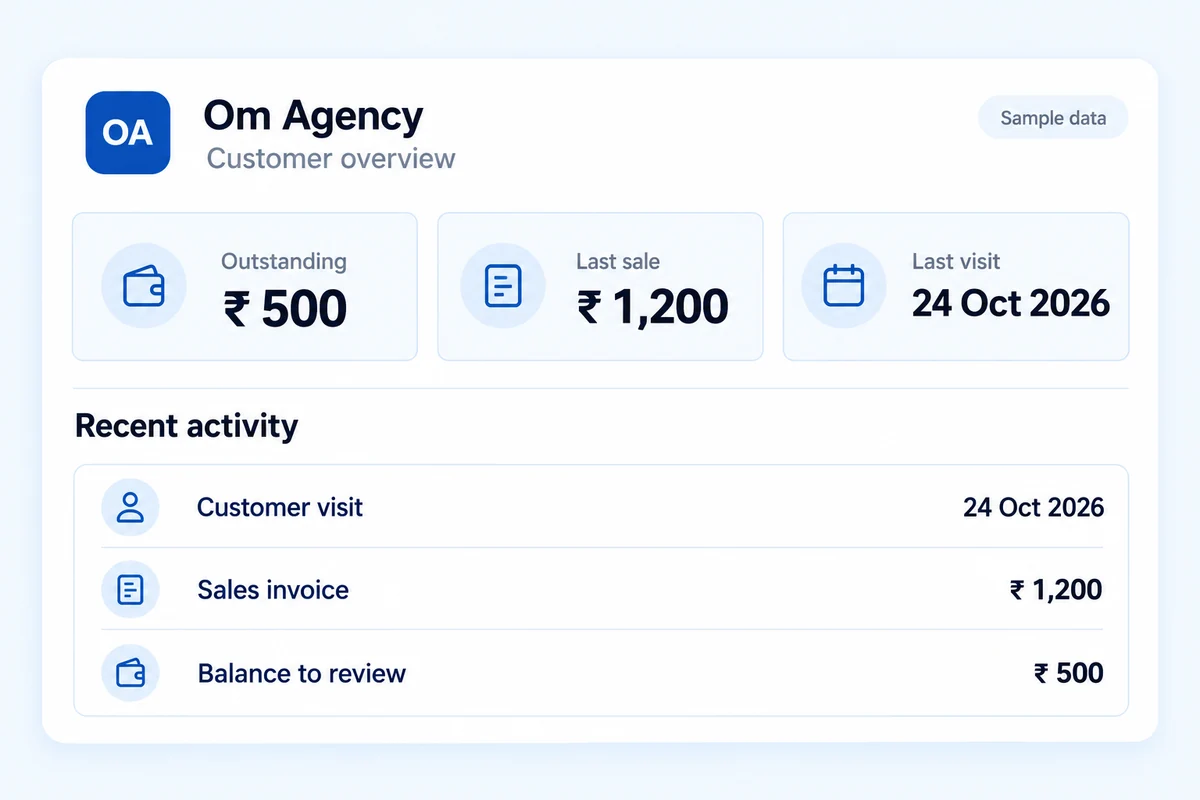
Before any order is placed, SalesOn surfaces the retailer's previous orders, unapplied schemes, outstanding balance, and credit limit — loaded automatically before the rep says hello.
- Order history: Review the retailer’s previous orders before discussing the next one.
- Unapplied schemes: Active schemes the retailer hasn't used surface as conversation openers before booking.
- Outstanding balance & credit limit: Both visible before booking — rep handles collection and ordering in the same visit without surprises.
Order taking for your distribution team.
Beat-based ordering, high-SKU search, scheme liquidation tracking — built for FMCG distribution pace.
Beat Ordering · Scheme LiquidationCustomer-wise product and price details for chemist order booking.
Chemist Orders · Customer PricingFast-moving SKUs, high reorder frequency, seasonal schemes — all in one mobile order booking app.
High Frequency · Seasonal SchemesDealer-wise product selection and digital order booking.
Dealer Booking · Product CatalogueRural route ordering with live-sync, custom pricing per dealer, and seasonal catalog management across large agri SKU ranges.
Rural Routes · Custom PricingComplex B2B pricing, negotiated rates per customer, clear pack sizes and units while ordering.
B2B Pricing · Multi-UOMFrequently Asked Questions
A mobile order taking app for salesman replaces paper order books. Reps select products, check customer-wise prices and applicable schemes, then capture and share a digital order.
Booking time depends on the number of items and the review needed. Test product search, quantities, pricing and confirmation with a typical order from your own catalogue.
Product search, customer-wise prices, applicable schemes and credit information give the rep details to review before confirming. The team still checks the order before submission.
Yes. SalesOn supports order approval workflows. Review the approval rules and who can confirm an order with your team during the demo.
Order taking captures what the customer wants to buy. Use Invoicing for tax documents and print formats, Delivery Management for shipments and handover, and Tally Integration for accounting mappings and posting.
No. SalesOn requires an internet connection and does not support offline use.
SalesOn is a paid business product with a 7-day free trial. Paid subscriptions require a minimum of 2 users. Check current plans and trial terms; it is not a permanently free order taking app.
Bring your order workflow to SalesOn.
Review products, customer pricing and schemes with your team. Start with two users and choose the workflows you need.
₹0 SalesOn account setup · Minimum 2 users · Plans and optional integration charges
Explore SalesOn