Match the party ledger
Review customer identities and the process for new customer records. Keep naming differences from becoming a second account.
For distributor owners & accounts teams
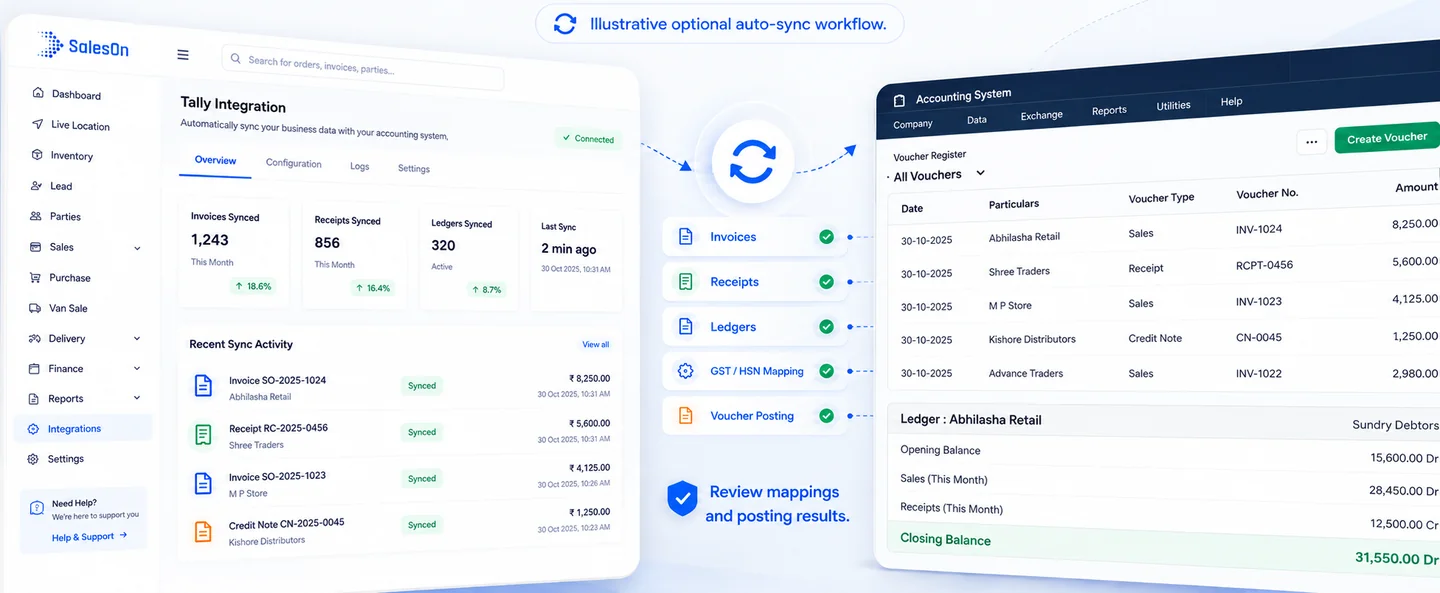
Connect SalesOn’s field and distribution records with your Tally workflow. Bring sales vouchers, receipts and master data into a shared accounting handover.
Included in Pro and Enterprise: Tally integration through JSON export.
Optional auto-sync: extra subscription and a one-time setup fee on either plan. See plan inclusions.
₹0 SalesOn account setupMinimum 2 usersMonthly billing availableSupport included
Tally stays your accounting system. SalesOn connects the operational work.
Businesses using SalesOn with Tally




Also used by
01 / Define the handover
Give the sales office and accountant a common view of the integration scope before the first live transaction.
| Record | Direction | Accounting review |
|---|---|---|
| Sales invoices | SalesOn → Tally | Sales voucher, customer and tax-ledger mapping. |
| Payment receipts | SalesOn → Tally | Receipt amount and the intended cash or bank ledger. |
| Customer ledgers | Connected master workflow | Match the customer identity and creation rules. |
| Items, prices & HSN details | Tally → SalesOn | Match item codes, units and the source master. |
| Outstanding balances | Tally → SalesOn | Review the relevant customer balance and update behaviour. |
The enabled flows follow your company setup. Confirm scope with the accounts team.
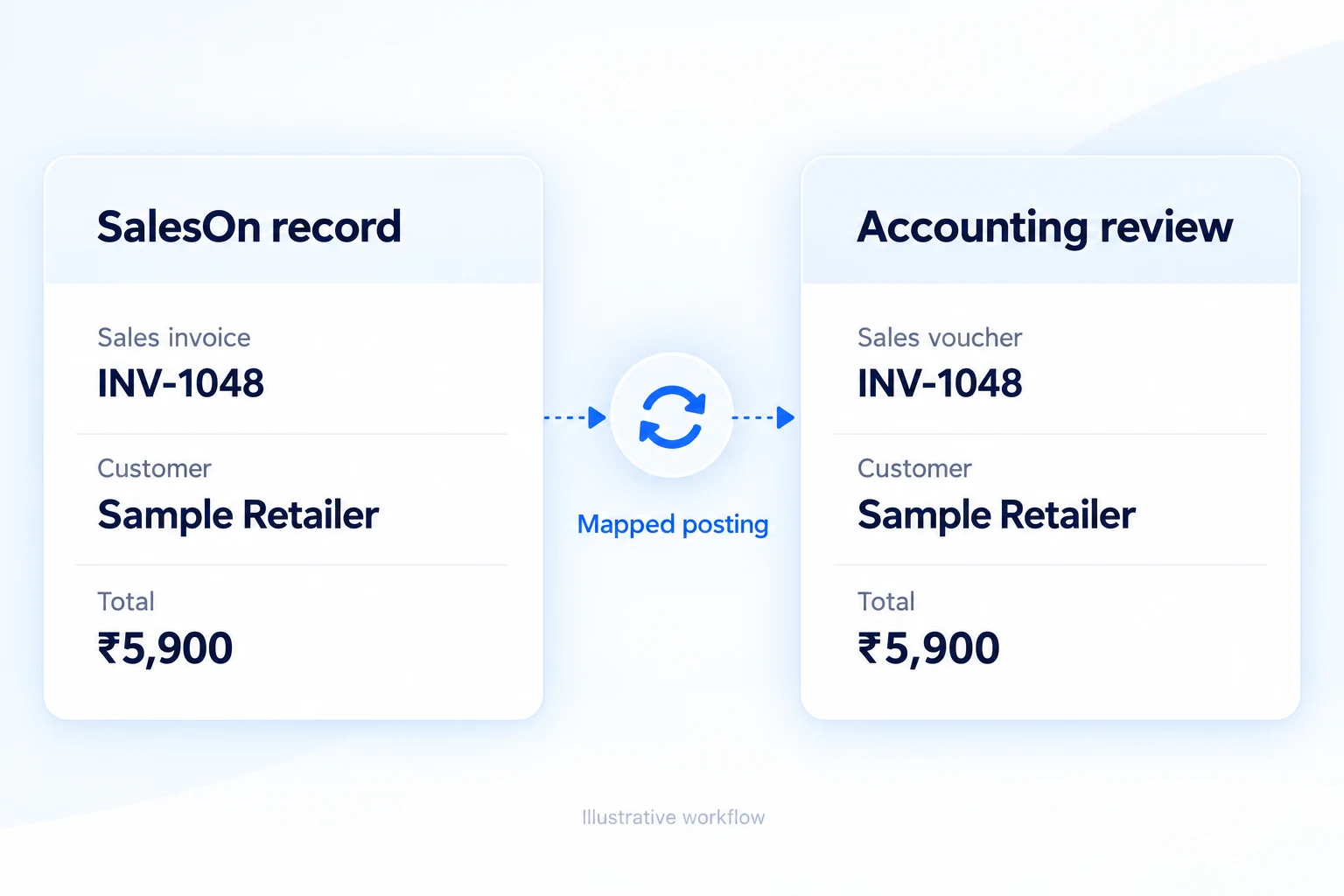
Match the customer, item and tax ledgers before posting the sales voucher.
Compare the source invoice reference and amount with the resulting accounting entry.
Sample records only. This illustration does not post or change accounting data.
02 / Match the masters
A familiar customer name is not enough. Review the master mapping so the transaction reaches the intended account and item record.
Review customer identities and the process for new customer records. Keep naming differences from becoming a second account.
Check product references, units and the master data your field team receives.
Review sales, receipt and tax mappings with the accountant, using a transaction your business actually processes.
Example accounting review
Illustrative review steps, not a live sync log.
03 / Review the result
Keep the source transaction and accounting entry traceable. When a record needs attention, give the office a clear owner for the follow-up.
Before your demo
Tally integration software connects operational records with an accounting workflow. SalesOn connects field sales and distribution records with Tally, helping the office work with mapped masters, sales vouchers and receipts.
No. Tally remains your accounting system. SalesOn handles the connected field and distribution work. Agree which system owns each master and how your accounts team reviews the transferred records.
The integration covers sales vouchers, receipts and customer-ledger workflows, alongside item masters, prices, HSN details and outstanding balances. Review the supported transaction types and direction of each flow for your company during setup.
SalesOn supports integration with TallyPrime and Tally ERP 9. Confirm your exact release, licence, company setup and any customisations during the demo. Compatibility should be checked against the transactions your team needs.
Sync timing depends on the configured connection, connectivity, Tally availability and the records being processed. Review the expected behaviour with your accounts team rather than assuming every transaction posts instantly.
Review the sync result and the record needing attention. Check the customer, item, ledger and tax mappings, then confirm the correction and retry process with the responsible person. Ask the demo team to show an exception using your sample data.
Agree the source reference, duplicate checks and treatment of edits, cancellations and credit notes before rollout. Your accounts team should verify the expected Tally entry before resubmitting a record whose posting result is unclear.
The work includes checking the Tally environment, mapping masters and testing sample transactions. The rollout schedule depends on your data, customisations and accounting requirements. Bring your accountant into the setup review.
No. SalesOn requires an internet connection and does not support offline use.
Bring your Tally version, a customer and item master, one sales invoice, a receipt and an example of a credit or correction. Review the source record, expected voucher and exception process with your accounts team.
Bring your accountant and one sample transaction
Trace an invoice, a receipt and a master record through the workflow your business needs.