Choose the sales goal
Set the measure that fits the plan: sales value, item quantity or productive calls. Make the product or category focus clear.
For distributors, manufacturers & sales managers
Give your sales team a clear goal. See achievement by territory and product category, review the gap and keep incentive progress visible throughout the month.
₹0 SalesOn account setupMinimum 2 usersMonthly billing availableSupport included
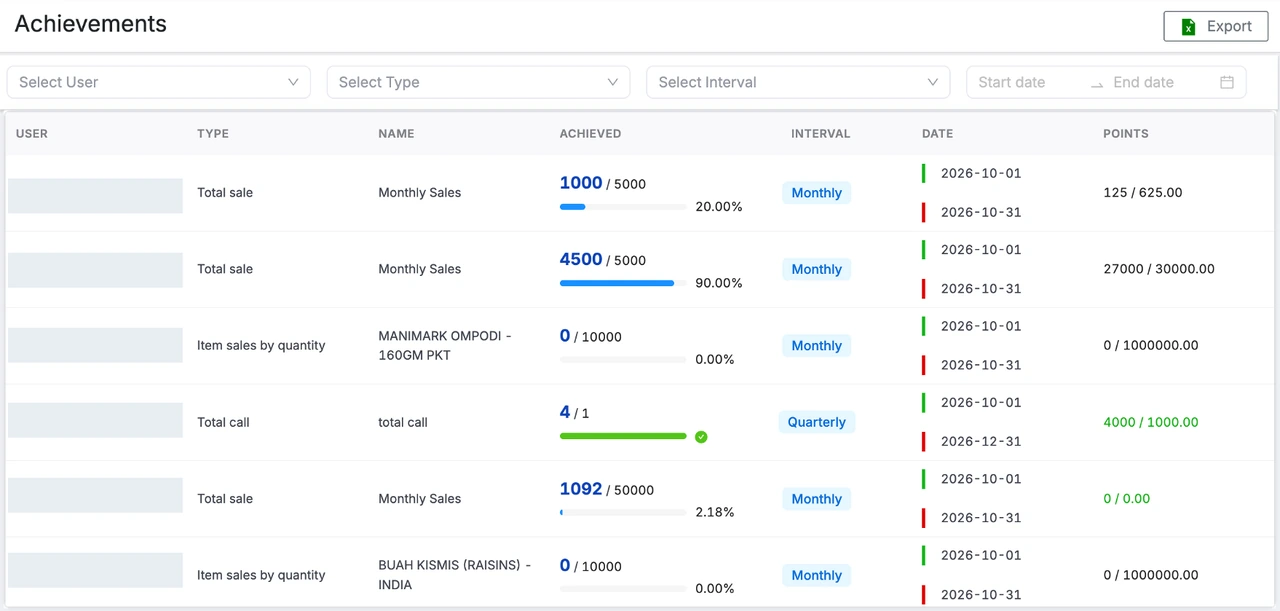
01 / Start with the right measure
Your sales plan should tell the team what matters—not just give them a number at the start of the month.
Set the measure that fits the plan: sales value, item quantity or productive calls. Make the product or category focus clear.
Assign goals to salespeople and teams. Review territory performance with the regional manager responsible for the next action.
Compare target and achievement over the agreed period. Keep the gap visible so follow-up can happen before the period closes.
Review the category gaps before the next team follow-up.
Illustrative review, not a live account or product screenshot.
02 / Coach with context
A territory total can hide very different results. Review each salesperson’s achievement and use the leaderboard to recognise progress and focus coaching.
Four salespeople · Monthly sales value
| Salesperson | Achieved / ₹2.5L target | Achievement |
|---|---|---|
| 1 Asha Mehta | ₹2.25L | 90% |
| 2 Rahul Kumar | ₹2L | 80% |
| 3 Neha Singh | ₹1.5L | 60% |
| 4 Arjun Das | ₹1.05L | 42% |
| Team total | ₹6.8L / ₹10L | 68% |
Sample ranking based on achievement percentage.
Reach 80% achievement for the first reward level.
Sample points only. Actual rewards follow your configured rules.
03 / Make the rules visible
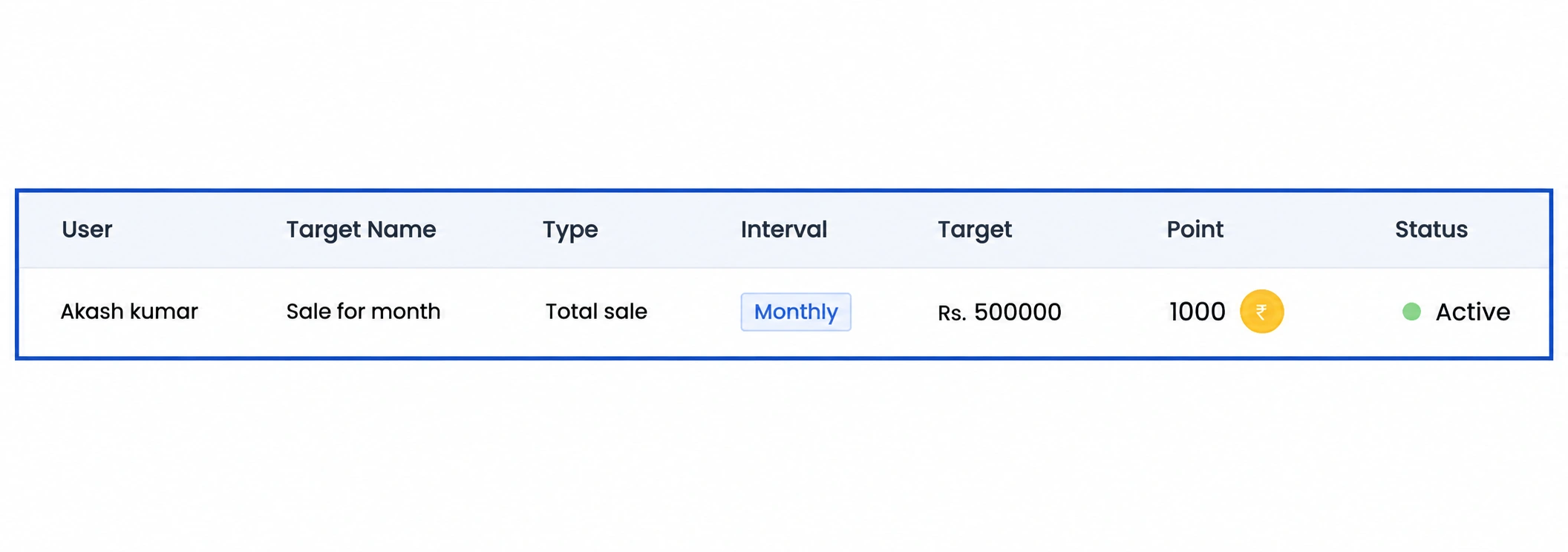
Give reps and managers a clearer view of the achievement behind an incentive. Track progress against the rules your business has configured.
For manufacturers selling through the market
Review category volumes and salesperson achievement across the territories serving your distribution network.
Keep product-line goals visible to regional managers and the sales teams handling dealers and customers.
Give the owner, sales head and field team a common view of targets as the team and market coverage expand.
Before your demo
Sales target tracking software compares assigned goals with recorded achievement over a set period. SalesOn Target Meter helps managers and salespeople review progress, remaining gaps, rankings and configured incentives.
Manufacturers can give sales heads, regional managers and field teams a shared view of sales goals and achievement. Product-category and team-level reviews help managers see where a sales conversation or follow-up needs attention.
SalesOn supports target tracking across products, salespeople, teams and territories. Examples include sales value, item quantity and productive calls. Bring your target sheet to the demo to match each measure with the correct sales records.
Primary sales are manufacturer-to-distributor transactions. Secondary sales are distributor-to-retailer transactions. Agree which transaction stage counts toward each target so the two stages are not added together as the same sale.
Leaderboards help teams compare recorded performance. Incentive tracking shows progress against configured reward rules. Define the qualifying transactions, thresholds, period and treatment of returns before using the result for incentive review.
No. The interactive example uses sample achievement percentages and reward points to explain threshold-based rules. It is not a live account, payroll calculation or payment commitment.
This page covers sales target tracking and incentive visibility. Use SalesOn Production for BOMs, work orders, material consumption and batch costing, and DMS for distribution stock and customer transactions.
No. SalesOn requires an internet connection and does not support offline use.
Bring a monthly target sheet, your salesperson or territory structure, the product categories you track and one incentive plan. We can review the setup with your sales manager and discuss current pricing and onboarding.
Bring your monthly target sheet
Walk through your team, product categories and incentive rules with us.